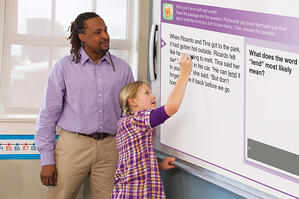
The upcoming 2012 presidential election has social studies teachers across the country excited to return to their classrooms. A presidential election, especially one as hotly contested as the current race, is a social studies teacher’s dream! The election process gives students the opportunity to learn about our democratic process in real time.
 In this election year, news of the campaign is seen and heard in students’ homes daily on all media – including social media – and shared at the kitchen table. Students often come to class with questions, but sometimes feel disconnected from the political process since they are not old enough to vote. Some students also find it difficult to understand exactly how our political system works, and their confusion often leads to disinterest.
Social studies teachers must find a way during an election year to increase student engagement. Teachers must also be able to provide their students with rich content about how we elect a president, so that today’s students can become informed voters.
How Can a Teacher Get Students Excited About the Upcoming Election?
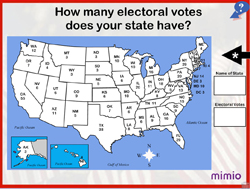 This is a question most social studies teachers will be asking themselves this fall. However, the answer is really very simple: if you want to get students excited about the upcoming presidential election, you give them the vote! The MimioVoteTM assessment is an incredible teaching tool in a social studies classroom because it puts interactivity into the hands of 100% of your students. With the MimioVote tool in the classroom, every student participates – not just the most eager. MimioVote assessment also removes the fear factor some students have about getting a question wrong, because all of their answers are anonymous.
The core of the MimioVote assessment is MimioStudio Gradebook, which automatically records student responses and indicates their progress. Teachers can use the real-time data to measure student achievement and understanding, and they can even generate printed reports.
Fall is a very busy time of year for a teacher. How will I find time to create lessons about this year’s election to use with my students?
Mimio has solved this problem for you by producing a series of seven teacher-created interactive lessons to teach students about the upcoming presidential election. Each of these lessons is FREE to download from mimioconnect.com.
The interactive lessons cover these seven important election topics:
- Election Vocabulary
- Meet the Candidates
- Polling
- How Do We Elect the President?
- Who Can Vote?
- Political Parties and Issues
- Deciding Congress
These lessons are based on proven instructional principles and have been specifically designed for grade level bands K-2, 3-6, and 7-12. No matter which social studies grade level you are teaching, you will find age-appropriate activities for your classroom. Every lesson includes questions that can be answered using MimioVote assessment. Some lessons even include bonus activities, such as classroom challenges. Each lesson is also fully customizable within MimioStudio Notebook, to meet your students’ specific needs..

Using them in your classroom might even inspire your students to ask for the vote!

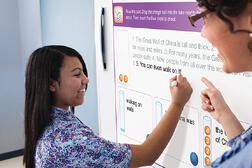 "Teaching today has to be more hands-on, integrated, and thematic, instead of worksheet and drill-oriented” says Mike Marble, principal of the Cole Canyon Elementary School in Muretta, CA. To address this issue, Marble armed Anne Hess with a MimioTeach™ interactive whiteboard and the MimioReading™ comprehension suite.