
Mimio Educator

Mobile Device Quick Reference Guide

Posted by Dan Winkler on Wed, Dec 4, 2013

Mimio helps clear away the confusion when it comes to the different mobile devices and what they do!

There are so many options today for mobile devices that it can all get a bit confusing. This Quick Reference provides a snapshot of the different device types currently on the market, and offers some insight into the pros and cons of using these devices in the classroom.

The new MimioMobile™ application lets schools get the most from the mobile devices they already have by using them for truly collaborative learning and ongoing formative assessment. The MimioMobile app supports both Apple and Android tablets and phones*. Multiple mobile devices can be used together, along with MimioPad™ wireless pen tablets, MimioVote™ assessment handsets, and interactive hardware whiteboards and devices from Mimio and other manufacturers.


Read More

Topics: MimioMobile, Mobile Devices

Classroom Collaboration with Mimio Webinar - Register Now

Posted by Melanie Fortier on Mon, Dec 2, 2013

Join us for the webinar Classroom Collaboration with Mimio.

Read More

Topics: MimioMobile, Classroom Collaboration, MimioStudio, webinar

Feels like fall with the Mimio Thanksgiving content pack

Posted by Lindy George on Tue, Nov 19, 2013

pack_thanksgiving

The Thanksgiving Content Pack on MimioConnect contains fun holiday images, templates, multimedia and lessons/activities.

These templates, clipart and multimedia allow you to create your own MimioStudio lessons or use our pre-made activities in the Lessons tab to create fun fall learning. Download Now. >>

Read More

Seamless Integration of Curriculum and Technology Webinar

Posted by Melanie Fortier on Mon, Nov 18, 2013


Join Mimio online for the webinar: Seamless Integration of Curriculum and Technology with High School Math Teacher Sarah Coughlin.

From software to hardware, to an online teaching community packed with free lessons, Mimio solutions can help you create an exciting interactive learning environment. In this webinar, you'll learn how curriculum and technology work together seamlessly in the Mimio classroom.

A certificate for CEU credits will be offered after the webinar.

Read More

Topics: Education Technology, MimioStudio, webinar, curriculum

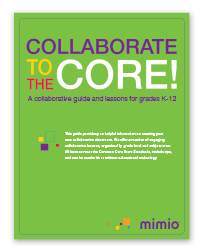
Collaborate to the Core! Mimio’s collaborative guide and lessons for grades K-12

Posted by Paget Hetherington on Mon, Nov 18, 2013

Mimio is pleased to offer Collaborate to the Core, an excellent guide to a variety of techniques and suggestions for creating collaborative learning in your classrooms. In addition, the guide offers a number of engaging collaborative lessons, organized by grade levels K-2, 3-5, and 6-12 in the following subject areas: math, language arts, science, and social studies. All lessons meet the Common Core State Standards, include tips, and can be used with or without educational technology.

K-2 students will enjoy working in pairs to practice translating a written time to the face of a clock, and working in small groups to distinguish between short and long vowel sounds. You can check their understanding of the frog life cycle after dividing the class into groups tasked with reaching their own conclusions about the stages of the cycle. And they can break into small groups to practice recognizing the difference between a fact and an opinion, as they discuss sentences related to Martin Luther King, Jr.

Read More

Topics: MimioMobile, Classroom Collaboration, Mobile Devices

5 Strategies for Creating a Collaborative Classroom [Free Guide]

Posted by Paget Hetherington on Mon, Nov 4, 2013

Creating a collaborative environment in classrooms is a key method of empowering students to live and thrive in the real world. Discussion, cooperation, open-mindedness, a variety of viewpoints, higher-order thinking skills, different curricular areas, disagreement, and debate are all elements that help students learn how to collaborate with others and thus become better educated individuals.

But how do educators incorporate collaborative learning models into their instruction? Start by setting expectations for your students, clearly explaining the process, and following these five collaboration strategies.

Read More

Topics: Classroom Collaboration, collaborative learning

Overcoming the Technical Challenges of Mobile Devices in Your Classroom

Posted by Dan Winkler on Mon, Oct 28, 2013

Dan Winkler, Mimio Chief Technology Officer

When it comes to using mobile devices in the classroom, we’ve found there are many common concerns among teachers. Everyone recognizes the great potential of the technology for bringing learning to a more personal level and for getting students engaged by using devices they already know well. But most teachers worry about overcoming the technical challenges of mobile devices in the classroom. We believe that our latest release of the MimioMobile™ app addresses the key challenges, as explained below.

How difficult is it to set up and implement mobile devices in my classroom?
One of our main goals when creating the MimioMobile app was to find a way to easily integrate the student and teacher mobile software experiences into the daily workflow of our other interactive classroom technologies.  Our QR Connect process connects student and teacher devices to the MimioStudio™ software with a simple point-and-click. You scan a QR code with the teacher or student mobile device, and you’re up and running. By spending time on details like these, we reduce the technical barriers so that
teachers can focus on teaching.

Read More

Topics: Classroom Technology, MimioMobile, MimioStudio, Technical Challenges, Mobile Devices, Educational Apps

Join Mimio for the webinar, What's New with MimioStudio and MimioMobile?

Posted by Melanie Fortier on Mon, Oct 21, 2013

This webinar will update current and new Mimio users on the latest features of MimioStudio™ 11 classroom software and the MimioMobile™ app.

Read More

Topics: MimioMobile, MimioStudio, webinar

Witches and Ghosts and Goblins OH MY! - Halloween Math Gallery Pack

Posted by Melanie Fortier on Thu, Oct 17, 2013

pack_halloweenmath

What is more fun and engaging this time of year than Halloween themed lessons?

In this spooky gallery pack you will find Halloween themed images, math lessons, and math templates. You and your students can “Go Batty for Addition”, find the “Ghostly Facts”, figure out “Witch is Greater”, and much more! 

You can use our lessons just as they are or concoct your very own using the images and templates in the gallery pack.  Happy Halloween!

Read More

Topics: Free Content, Math, Halloween

Excited About Classroom Collaboration

Posted by Lindy George on Mon, Sep 9, 2013

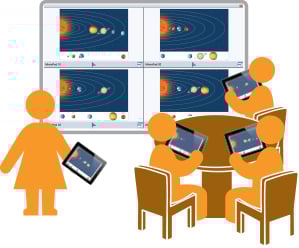
The latest versions of the MimioMobile™ app and MimioStudio™ classroom software bring an exciting upgrade to one of my favorite tools: Collaborate. The newest version of the Collaborate feature, ready for release in September, allows the teacher to push a MimioStudio Notebook page, including an interactive page (oh yes….I said interactive) to the student’s device, where the student can annotate, sort, write, and interact with all of the tasks on that page. (Okay…all together….oooohhhh….aaaahhhh!) The work of the student is displayed on the whiteboard in real time, and the teacher can simultaneously assist students or bring a particular student’s work forward to full screen to use as an example. When the teacher ends the Collaborate session, the student’s work is automatically saved to the MimioStudio Notebook Gallery, where the teacher can open it. Each student’s work is now displayed on a separate page for easy sharing, teacher review, or assessment. And don’t let me forget to share this extra bit of amazing news: the MimioMobile app will now work on iPads, iPhones and Android tablets and phones.

Read More

Topics: Classroom Collaboration

Subscribe

Recent Posts

Posts by Topic

see all